This article contains affiliate links: if you buy through them we may earn a commission, at no extra cost to you. Read our affiliate disclosure.
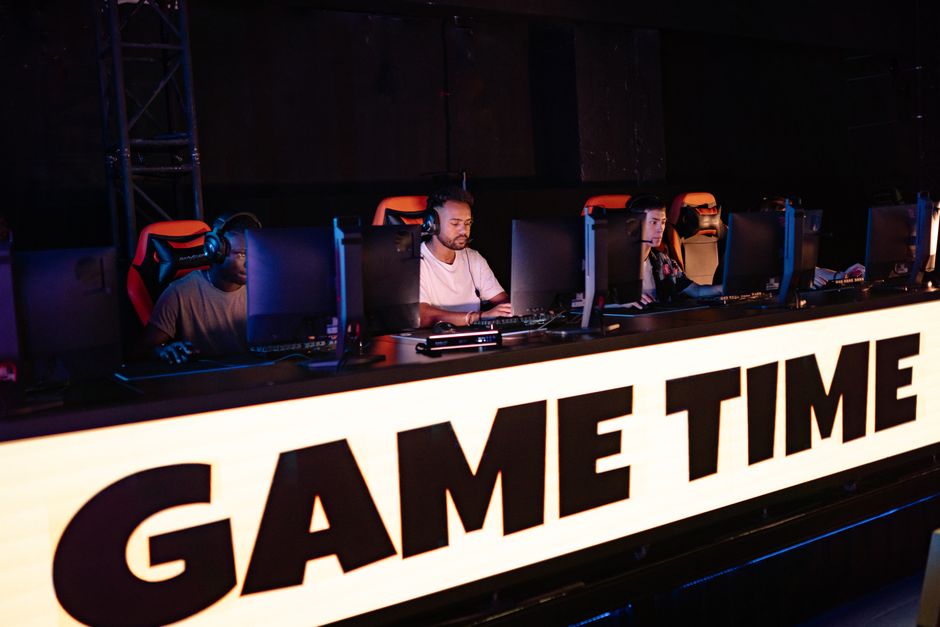
It is the third map of a Saturday scrim block. The player on the left has been in the same chair since lunch, shoulders creeping up toward her ears, and she has not looked away from the screen in an hour. Nobody has been hit, tackled or tripped. Still, her neck is stiff and her mouse hand is tired. Esports injury prevention is the set of habits around a player that aim to lower the chance of overuse pain and strain: a desk set up for the body, breaks built into practice, some movement outside the game, enough sleep and sensible headset volume. It can lower the odds. It cannot promise a pain-free career.
Quick answer: Esports problems are mostly slow overuse, not sudden injuries: in a 2019 study of 65 collegiate players, 56% reported eye fatigue, 42% neck and back pain and 36% wrist pain (DiFrancisco-Donoghue and colleagues). Review authors point to breaks during long sitting, ergonomics and load management. Set the screen at or just below eye level, keep wrists straight, stand and move between games, look far away every 20 minutes, protect your sleep and keep headset volume moderate. See a sports medicine doctor, physical therapist or athletic trainer if tingling, numbness or pain lasts more than a few weeks or gets worse, and see an eye doctor for eye pain or sudden vision changes.
General information, not medical advice. This page is about lowering risk. For what each problem looks like and the numbers behind it, see our esports injuries guide. Back to the esports hub.
What prevention means when nobody gets tackled
In field sports, prevention is about contact, landings and sprints. In esports it is about repetition and posture. A 2026 systematic review of 10 studies covering 789 players found musculoskeletal complaints in 26.8% to 86.2% of players, and linked longer training time and inadequate ergonomics, such as no armrests, to more problems (J Exp Orthop, 2026). A 2023 poster on 153 collegiate varsity players found that more hours per day, not more days per week, went with more injury. The honest take: the evidence describes who hurts and what goes along with it, and it does not yet prove that any single fix prevents injury. Treat the habits below as sensible risk reduction, not guaranteed protection.
Set up the station for your body
The US Occupational Safety and Health Administration (OSHA) describes neutral working positions for computer users: hands, wrists and forearms straight and roughly parallel to the floor, head level, elbows open at about 90 to 120 degrees, back supported, thighs parallel to the floor and feet supported. For monitors, OSHA suggests the top of the screen at or slightly below eye level and the centre about 15 to 20 degrees below the line of sight. It also notes that holding the same posture for long periods is not healthy, so even a perfect setup needs changing up. Adjust the chair first, then the desk and mouse height, then the screen. Our gear guide covers chairs, desks and peripherals in detail.
A monitor arm makes screen height easy to fix, and a footrest helps if your feet do not reach the floor once the chair is at the right height. Both are ordinary desk gear, not medical devices.

Ergotron LX Monitor Arm
- Up to 34 in, 7-25 lb
- 13 in lift, 75-degree tilt

HUANUO Adjustable Footrest
- 3 heights: 4.3 to 6.7 in
- Tilts and rocks
$29.99 at Amazon, as of Nov 17, 2026 01:07 UTC
Check price on AmazonProtect the hands, wrists and forearms
In the collegiate varsity poster, wrist injuries were the most common site (25 of the injuries), ahead of neck, back and fingers. The American Academy of Orthopaedic Surgeons (AAOS) lists repetitive hand use and extreme wrist positions among the factors linked to carpal tunnel syndrome, and says typing, texting and lifting can worsen De Quervain’s tendinosis. Neither AAOS page mentions gaming, so we cannot say how much either one applies to esports. What players can do is keep wrists straight rather than bent up or sideways, keep the mouse close to the keyboard, avoid resting the wrist on a hard edge (OSHA), and take the pressure off between rounds: open and close the hands, stretch the fingers, shake out the arms.
Warm-up is the other piece. In a 2026 survey of 60 keyboard-and-mouse players, having no warm-up and getting inadequate sleep were each associated with more pain (Res Sports Med, PMID 41275338). That is an association, not proof, and no esports-specific warm-up program has been tested the way the FIFA 11+ has in soccer. A few minutes of easy shoulder, neck, wrist and finger movement before a block is low cost, and the routine itself is in our esports training guide.
Neck and back: sit less in one block
A 2026 pain-prevalence meta-analysis of esports players reported neck pain in about 48% and spine pain in about 41%, with the authors urging caution because the studies differed a lot, and recommending breaks during prolonged sitting, ergonomics and load management. The US physical activity guidelines (ODPHP) say adults should move more and sit less, and aim for 150 to 300 minutes of moderate activity a week plus two days of strength work; young people aged 6 to 17 should get at least 60 minutes a day. A 2024 BMJ Open Sport and Exercise Medicine paper strongly recommends interrupting prolonged gaming with acute exercise, while noting the best dose is unclear. A study of 24 collegiate players counted about 6,040 daily steps against 12,844 in a comparison group. A short walk between matches is the simplest answer, and a sit-stand desk simply gives you a second position to switch to.
Eyes: look away on purpose
The American Academy of Ophthalmology (AAO) says people blink about 15 times a minute normally but only 5 to 7 times while looking at screens, which dries the eyes. Its advice: the 20-20-20 rule (every 20 minutes, look at something at least 20 feet away for at least 20 seconds), a screen about 25 inches away with the gaze slightly downward, and sensible brightness and contrast. The AAO adds that eye strain does not injure the eye or cause permanent damage, and that computer glasses are not the same as blue-light-blocking glasses. Between-match gaps are a natural place for a long look out of the window.
Hearing: the headset is a prevention topic too
The National Institute on Deafness and Other Communication Disorders (NIDCD) says sound at or above 85 dBA over a long time can damage hearing, and that noise-induced hearing loss is preventable. The World Health Organization (WHO) advises moderate volume, limited listening time and regular breaks, and published a 2025 WHO-ITU standard for safe listening in video gameplay and esports. For LAN events with loud crowds and casters, earplugs designed for hearing protection are an option. Our injuries page has the sound-level detail, and we found no published figure for a gaming headset in normal use.

Loop Experience 2 Ear Plugs
- 17 dB SNR
- 4 sets of silicone tips, keychain case
$34.95 at Amazon, as of Nov 17, 2026 01:07 UTC
Check price on AmazonOne card is all that fits here: it is for noisy venues, not a substitute for turning the volume down.
Sleep, caffeine and the practice calendar
Sleep shows up in the data repeatedly. A study of 17 pro first-person-shooter players recorded a median 6.8 hours of sleep, with bedtime well after 3 a.m. (Lee and colleagues, 2021), and a study of 24 esports athletes in Brisbane found poorer sleep quality on nights when gameplay ended one to two hours before bed. The American Academy of Sleep Medicine (AASM) recommends at least 7 hours for adults and 8 to 10 for teens 13 to 18. A 400 mg dose of caffeine taken as late as 6 hours before bedtime still disrupted sleep in one lab study (Drake and colleagues, 2013), which is why many players move energy drinks to the afternoon, if they use them at all. For teens, the American Academy of Pediatrics says energy drinks have no place in the diet of children and adolescents. Wind-down tips are on our recovery page.
Scheduling is prevention as well. Because hours per day tracked with injury in the collegiate poster, coaches and players can cap daily hours, build them up gradually when the season starts and leave a lighter day after a long LAN. No published number says how many hours is safe, so use pain, tingling and tiredness as your signals, and see our match day guide for event logistics.
Youth players
The same habits apply to teens, with two sourced additions: the 60-minutes-a-day activity guideline for ages 6 to 17 (ODPHP), and the AASM’s 8 to 10 hours of sleep for ages 13 to 18. Parents of school and club players can see more in our esports youth guide. We found no esports-specific injury-prevention guidance for children from a pediatric society, so we do not give age-specific hour limits.
What prevention can’t do
No habit on this page has been proven to stop wrist pain, neck pain or eye strain in esports. Some people have symptoms even with an ideal setup, and some factors, such as inherited risk for carpal tunnel syndrome (AAOS), are outside your control. Prevention reduces the odds and helps you catch problems early. It does not replace being checked when something is wrong. Gaming-related mood and control problems are a separate health topic: the WHO describes gaming disorder as impaired control, rising priority over other interests and continuing despite harm, usually for at least 12 months, and it affects only a small share of gamers. If that sounds familiar, talk to a doctor or mental health professional. In a crisis in the US, call or text 988.
When to see a professional
- Soon: numbness or tingling in the fingers, especially at night; weakness or dropping things; thumb-side wrist pain that is getting worse; neck or back pain lasting more than a few weeks (AAOS pages on carpal tunnel, De Quervain’s, neck and low back pain).
- Right away: back or neck pain with weakness in an arm or leg, or loss of bladder or bowel control; sudden vision changes or a painful eye.
- Eyes and ears: an ophthalmologist for eyes that stay red, blurry, watery or painful (AAO); a hearing check for ringing or muffled hearing that does not fade.
Collegiate players may be able to see the team’s athletic trainer. For the symptoms themselves, go to the esports injuries guide.
Esports injury prevention: FAQs
Can I prevent carpal tunnel from gaming?
Nobody can promise that. AAOS lists repetitive hand use and extreme wrist positions among the factors linked to carpal tunnel syndrome, so keeping wrists straight and taking breaks makes sense, but the AAOS page does not mention gaming and we found no esports-specific figure. If your fingers tingle or go numb, especially at night, see a clinician.
How often should I take breaks while playing?
No study gives an exact interval. OSHA says to change positions, stretch and walk regularly, the AAO suggests a 20-20-20 eye break every 20 minutes, and a 2024 paper strongly recommends interrupting prolonged gaming with acute exercise. Between matches is an easy place to start.
Do blue-light glasses prevent eye strain from gaming?
The AAO says computer glasses are not the same as blue-light-blocking glasses and that eye strain does not injure the eye. Blinking more, the 20-20-20 rule and screen position are the AAO’s tips.
Does a gaming chair or ergonomic mouse prevent injury?
There is no trial showing that a particular chair or mouse prevents esports injuries. OSHA’s guidance describes positions and adjustability, such as armrests and foot support, and a 2026 review linked no armrests to more problems. Fit matters more than the label.
How much should a teen player practice?
We found no published safe-hours figure. What is sourced: 60 minutes of activity a day for ages 6 to 17 (ODPHP) and 8 to 10 hours of sleep for ages 13 to 18 (AASM). Fit practice around those.
Sources
- DiFrancisco-Donoghue et al., collegiate esports players, BMJ Open Sport Exerc Med 2019
- Esports pain prevalence meta-analysis, Sports Med Open 2026
- Collegiate varsity esports injuries, Orthop J Sports Med 2023
- Musculoskeletal disorders in eSports athletes, systematic review, J Exp Orthop 2026
- Keyboard-and-mouse players, warm-up, sleep and pain, Res Sports Med 2026
- OSHA computer workstations, neutral positions
- OSHA computer workstations, monitors
- AAOS, carpal tunnel syndrome
- AAOS, De Quervain’s tendinosis
- AAO, computers, digital devices and eye strain
- AAO, what is eye strain
- NIDCD, noise-induced hearing loss
- WHO-ITU standard for safe listening in video gameplay and esports
- ODPHP, physical activity guidelines top 10
- DiFrancisco-Donoghue et al., collegiate esports activity, J Sport Health Sci 2022
- Interrupting prolonged gaming with exercise, BMJ Open Sport Exerc Med 2024
- Lee et al., sleep in pro esports players, IJERPH 2021
- Sleep and gameplay timing in esports athletes, Sports Med Open 2026
- AASM adult and teen sleep duration consensus
- Drake et al., caffeine and sleep, J Clin Sleep Med 2013
- AAP clinical report, sports and energy drinks for children and adolescents
- WHO, gaming disorder FAQ
- 988 Suicide and Crisis Lifeline
General information for education only, not medical advice. It does not replace a visit with a doctor, physical therapist or athletic trainer. See how we write and check our pages in our editorial policy.